
 Français
 English
 Español
 Deutsch
 Italiano
 Русский

Uninstall Action - How to deploy the uninstall of Open Office on your network?
How to deploy the silent uninstall of Open Office on your network?
Pre-requisite:
- Select the Uninstall, then click on the magnifier icon to select the software.
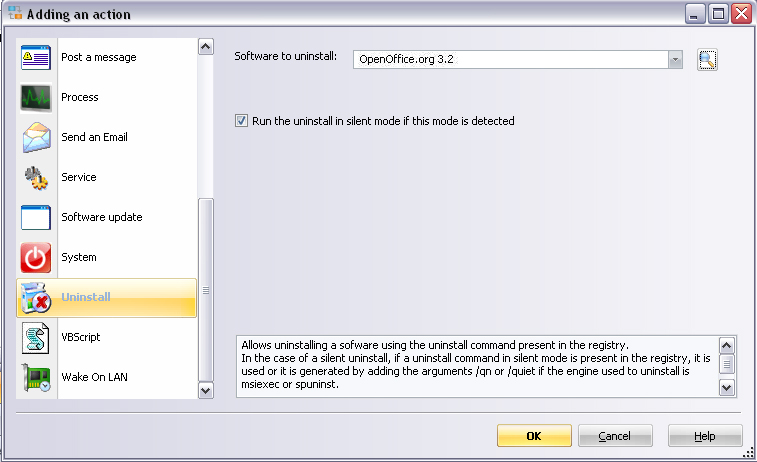
Select the software to uninstall, for this, enter the name of the computer in the Search in field and then click on the Generate button to get the list of all softwares installed on this computer.
Select the software to uninstall from the list:
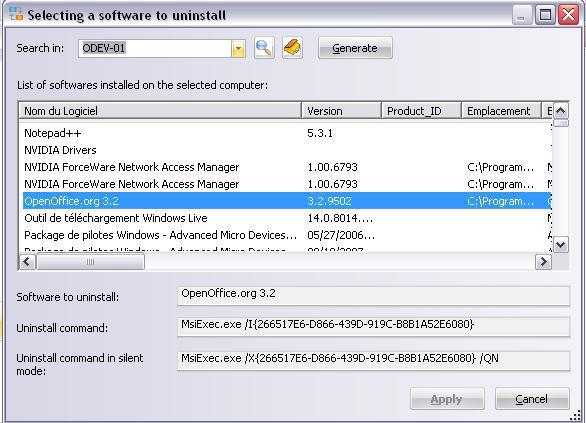
- The Uninstall command zone contains the command line used to uninstall the OpenOffice.org 3.2 software. This command requires human intervention.
- The Silent uninstall command allows an automatic uninstall without human intervention. If this field is empty, the uninstall of the application can only be done in a conventionnal way, ie using a dialog box.
Finally, click on Apply to validate your choice.