
 Français
 English
 Español
 Deutsch
 Italiano
 Русский

IDEAL REMOTE
Version 26.8.5PRESENTATION
IDEAL REMOTE
Version 26.8.5PRESENTATION
Take control of your servers and workstations remotely, quickly, securely and effortlessly with IDEAL REMOTE.
No commitment • AI & support included • Ready to use in 5 minutes
- Ready in 5 minutesA simple setup wizard, and your existing administrative rights are all you need: no complex deployment.
- Cross-platform remote controlRustDesk, RDP and VNC for Windows, macOS and Linux, over the LAN or the Internet.
- Secure connectionsEnd-to-end encryption, no inbound port to open, and user approval if you want it.
- Per-administrator licensingUnlimited workstations and servers, with a perpetual license from €249.
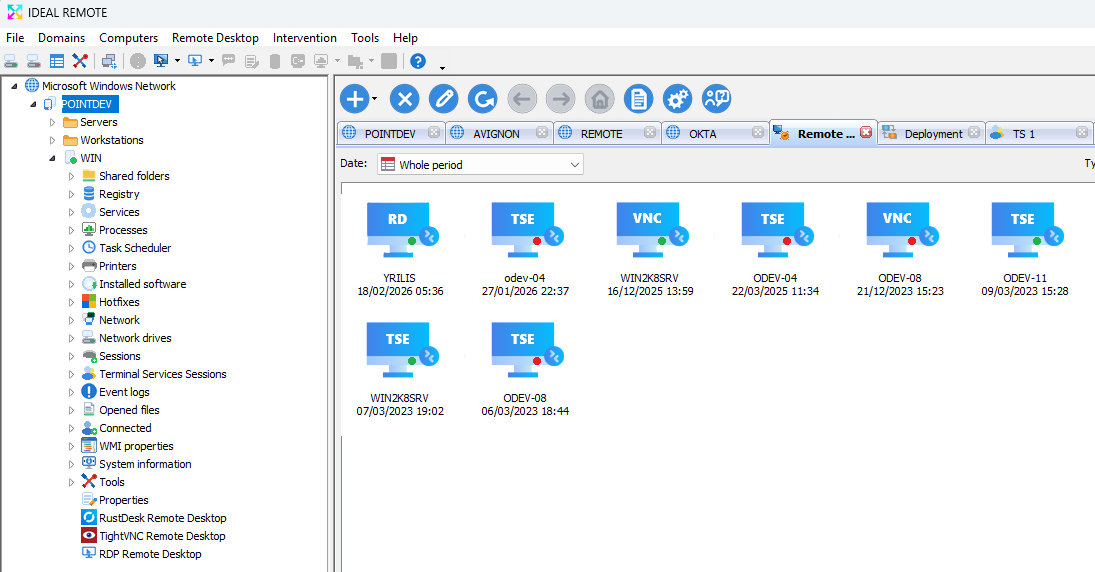
Remote control history, for quick access to your computers.
Remote control and remote administration
IDEAL REMOTE takes control of your Windows, macOS and Linux workstations and servers from a single interface. It relies on your existing administrative rights: no agent to install beforehand for remote administration features, and the remote control tools are installed automatically on Windows computers.
Beyond remote control, it gives you access to administration tools for your Windows computers: registry, events, printers, processes, sessions, open files, WMI and system information. Save time on your daily support tasks.
Do you also manage an Active Directory domain (users, groups, GPOs, audits)? IDEAL ADMINISTRATION includes every feature of IDEAL REMOTE and adds full Active Directory management. Compare the two programs →
Key features
- RustDesk remote desktop: modern, secure and automated remote control
- Remote control of Windows, macOS and Linux, with automatic remote installation on Windows computers
- Remote control over the Internet for Windows computers outside the corporate network
- Access from smartphones and tablets (iOS and Android)
- Chat, screen sharing, file transfer and screenshots during remote sessions
- Command prompt on the remote computer
- Natural language questions about your Active Directory with Cloud AI
- Remote management of services, processes, installed software, firewall, UAC and Windows Update
- 32-bit and 64-bit registry, WMI properties, printers, shares and sessions
- Remote change of computer names and IP addresses, scheduled shutdown and restart
- Automatic and scheduled wake-up of computers (Wake On LAN)
- Role delegation: each software user only accesses the features they are allowed to use
- Multi-tab interface for your domains, workgroups and VLANs, available in 5 languages
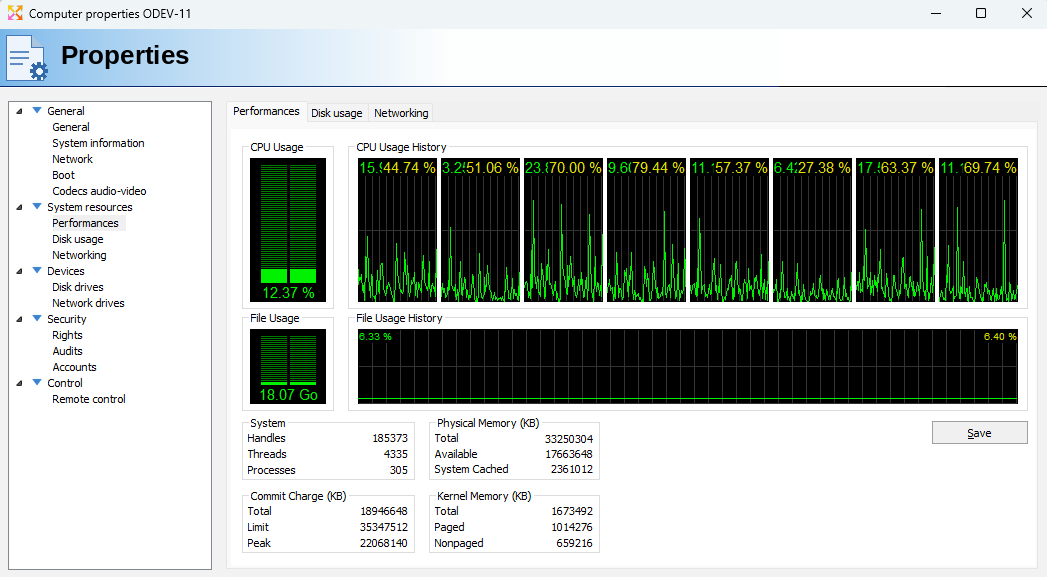
Monitor your servers' performance remotely.
Cloud AI: optional assistance, under your control
Natural language questions about Active Directory with Cloud AI are disabled by default: they only work once an administrator has enabled them.
- The AI has no access to your Active Directory, domain controllers, servers or user accounts.
- Only the text of your question is sent. Your directory is never sent.
- The AI performs no actions: it explains and recommends, and the administrator decides.
- Answers are stored locally, and Cloud AI is included in the license, with no subscription.
Licensing and maintenance
One license per administrator, whatever the size of your network: unlimited workstations and servers, from €249.
Each license is valid indefinitely and includes one year of maintenance and technical support: all new versions, minor and major, are included. You can then renew maintenance for one, two or three more years. See the full price list
Support and quotes
Technical support by email and through the support area of our website, with a response within 24 business hours, provided in-house by Pointdev, the software publisher.
Companies and public organizations: you can request a quote online.
Free 30-day trial • No commitment • Support included
Starts at € 249 (EUR)
See Full Price ListSystem requirements
- Administrator workstation
- Windows 10, 11 or Server 2016+
- 32-bit and 64-bit versions
- Access drivers installed automatically
- Managed computers
- Windows 8 to 11
- Windows Server 2008 to 2025
- macOS and Linux (remote control)
- Administrator rights required
- No agent to install
- All requirements
Available in


