
 Français
 English
 Español
 Deutsch
 Italiano
 Русский

IDEAL REMOTE
Version 26.8.5FEATURES
IDEAL REMOTE
Version 26.8.5FEATURES
All IDEAL REMOTE features: remote control of Windows, macOS and Linux, RustDesk remote desktop, access over the Internet and administration tools for your Windows computers.
No commitment • AI & support included • Ready to use in 5 minutes
Features are grouped by main use case: click a section to see its details.
- Remote control of Windows, macOS and Linux
- Remote control with automatic remote installation on your network:
- Windows 11, 10, 8, 7, Vista, XP and NT 4.0 workstations
- Windows Server 2025, 2022, 2019, 2016, 2012 and 2012 R2, 2008 and 2008 R2, 2003 and 2000
- 32-bit and 64-bit architectures
- Remote control of macOS and Linux (Debian, Ubuntu, Red Hat, CentOS, Fedora) with a VNC server enabled
- Screen sharing with the user
- Chat between administrator and user
- Connection approval by the remote user (if configured)
- File transfer between computers
- Automatic screenshots in JPEG, BMP or PNG
- Connection history for fast access to computers
- Custom settings per computer group
- Command prompt on the remote computer
- Remote control sessions logged in a database
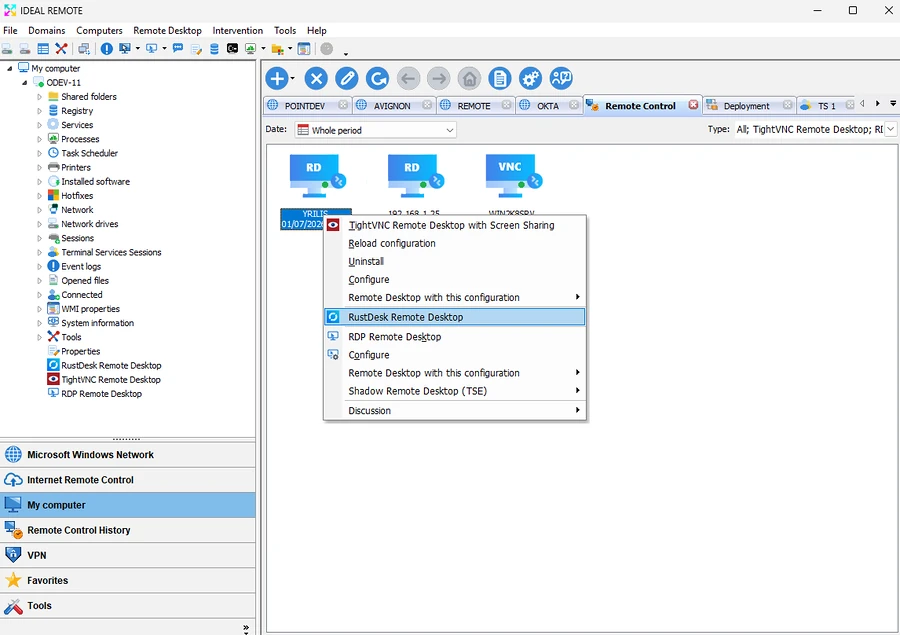
- Remote control with automatic remote installation on your network:
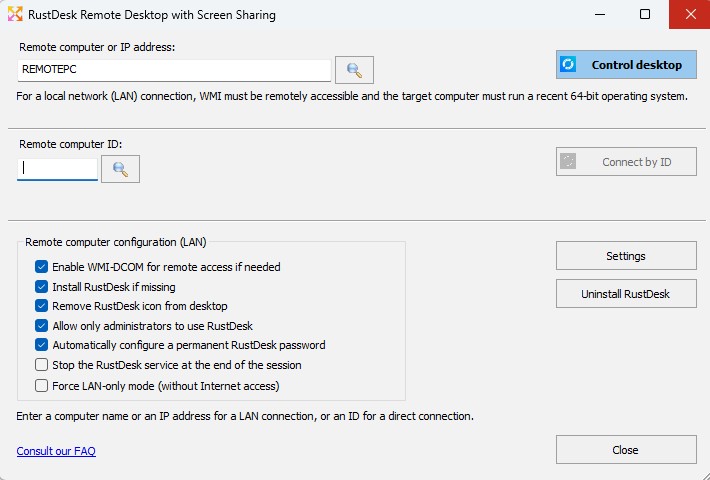
- RustDesk remote desktop
- Secure remote control of recent Windows systems
- Secure Pointdev RustDesk server, for better-controlled remote access
- Fully automated remote deployment and installation
- Automatic permanent password configuration
- Runs as a Windows service, including before user logon
- Connection over the LAN or outside the corporate network (remote work, mobility)
- End-to-end encryption
- Audio and video transmission
- Multi-monitor support
- Two-way file transfer with drag and drop
- No inbound port to open
- NAT and firewall traversal
- Option to restrict RustDesk to administrators only, to prevent any unauthorized connection between users
- Security automatically applied to every remote session
- Remote uninstallation, partial or complete
- Multilingual interface
- No IDEAL REMOTE agent to install on computers
- Remote control over the Internet
- For Windows computers outside the corporate network, through our “Pointdev Remote Control” (PRC) agent, installed and configured beforehand
- PRC is compatible with Windows 11, 10, 8, 7, Vista and XP and Windows Server 2025 to 2003, 32-bit and 64-bit
- Computers running PRC automatically appear in IDEAL REMOTE for fast, secure remote control
- Access from smartphones and tablets
- Remote control of servers and computers from an iOS or Android smartphone or tablet
- Requires a Wi-Fi network within the organization
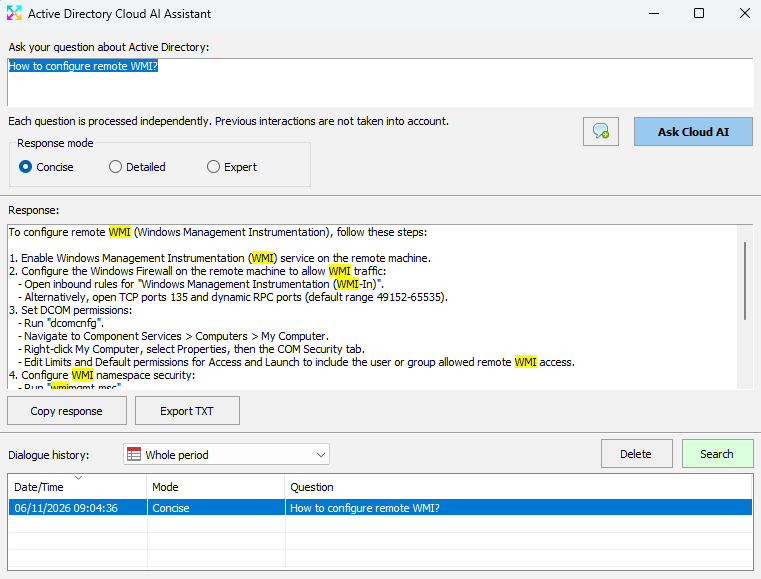
- Natural language questions and answers on Active Directory with Cloud AI
- Ask questions about your Active Directory in natural language
- Answer history stored locally
- Instant search in questions and answers
- Filter questions and answers by time period
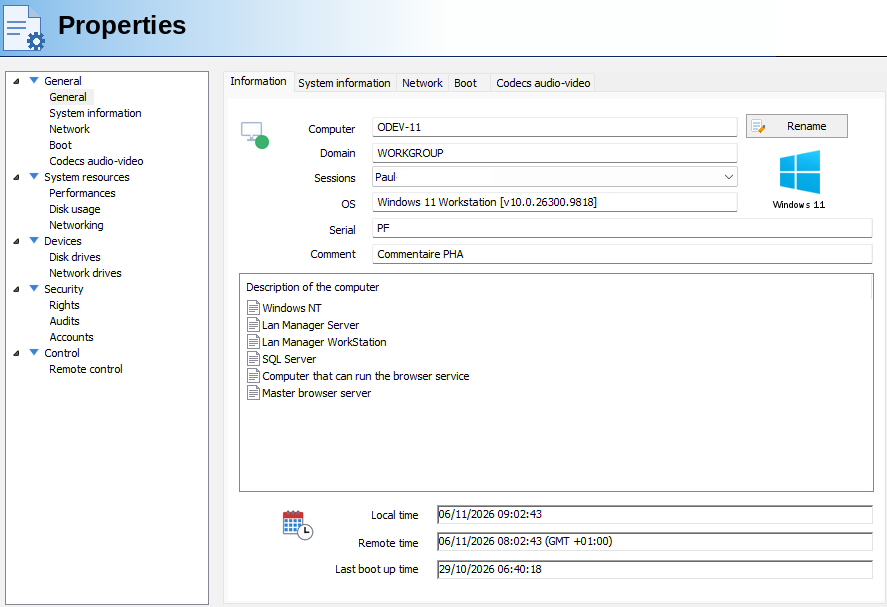
- Remote administration of computers and servers in your domains and workgroups
- Classic and Terminal Server session management
- Printer management
- WMI properties and functions management
- 32-bit and 64-bit registry management
- Real-time CPU, disk and network performance graphs
- Remote change of computer names and IP addresses
- Automatic and scheduled wake-up of computers (Wake On LAN)
- Scheduled shutdown and restart of computers and servers
- Remote network security management
- Windows Firewall configuration and management
- Create, modify and delete rules
- Windows Update configuration
- User Account Control (UAC) configuration
- Manage multiple computers simultaneously
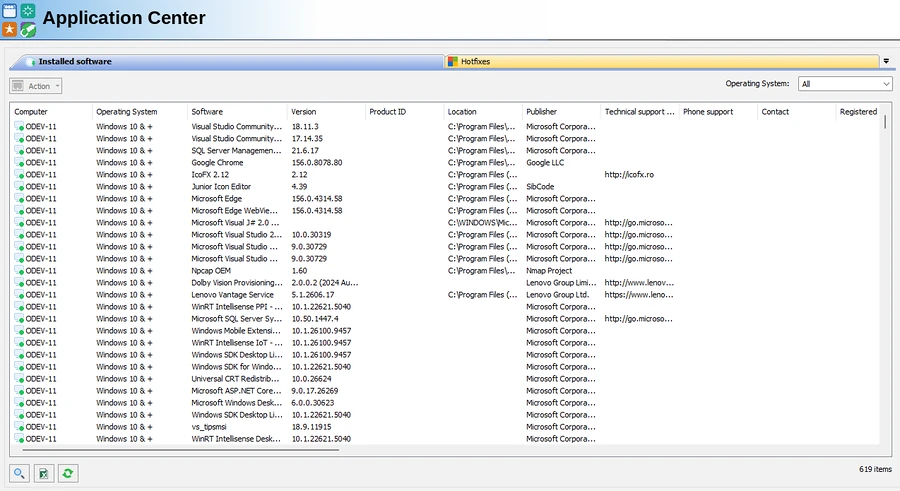
- Remote management of software and hotfixes
- Installed software and hotfix management
- Manage multiple computers simultaneously
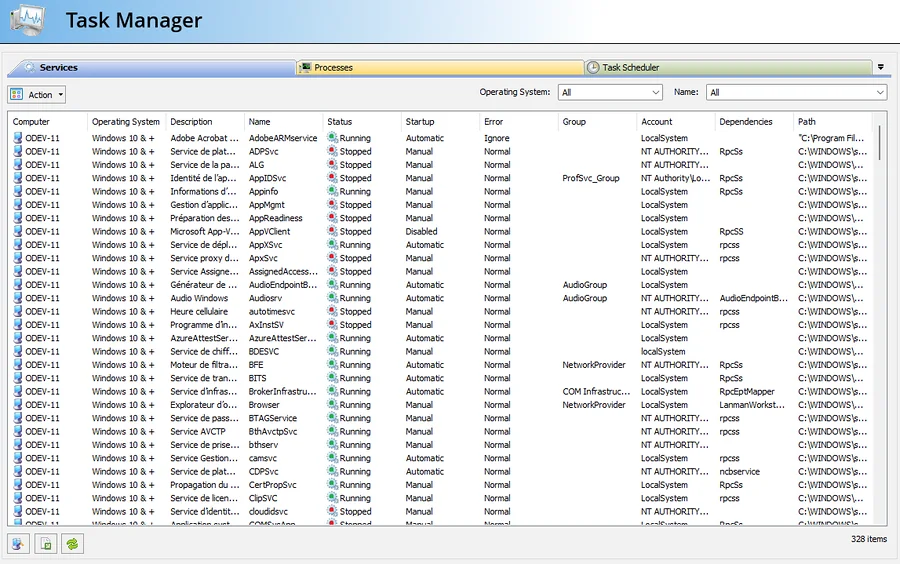
- Remote management of services and processes
- Service management
- Process management, with remote stop
- Scheduled task management (v1.0 and v2.0)
- Manage multiple computers simultaneously
- Remote management of sharing and printing
- Shared folder management
- Printer management
- Open file management
- Open session management
- Terminal Services (TSE) session management
- Manage multiple computers simultaneously
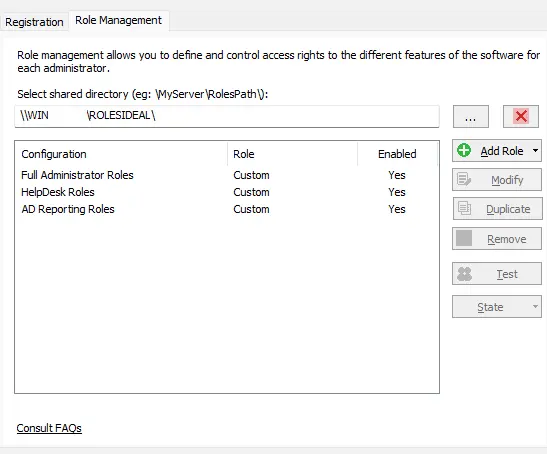
- Role and task delegation
- Give people or groups access to specific software features, without giving them access to everything
- One or more delegation administrators create the roles of the software users
- Each feature can be set to Full Access, Read-only or No Access
- Users no longer need the activation key: all checks run automatically when the software starts
- Multi-tab, multi-domain interface
- Explorer-style, multi-tab interface for fast access to computers in domains, workgroups and VLANs
- Tabs you can customize to suit your use:
- domain or workgroup computers (NetBIOS)
- remote control history
- Internet remote control
- VPN
- favorites
- external tools
- FAQ or Internet
- Export of all lists to HTML or CSV
- Choice of computer properties to display
- Computer properties saved in a database, so they can be displayed even when a computer is off or unreachable
- Multi-threading for simultaneous access to several computers
- Configuration wizard for a quick start
- Intervention management across your IT environment
- Planning of interventions to perform
- Recording of status changes
- Database shared by administrators
- Languages and documentation
- Software available in 5 languages: English, French, German, Italian and Spanish
- Electronic documentation
Starts at € 249 (EUR)
See Full Price ListSystem requirements
- Administrator workstation
- Windows 10, 11 or Server 2016+
- 32-bit and 64-bit versions
- Access drivers installed automatically
- Managed computers
- Windows 8 to 11
- Windows Server 2008 to 2025
- macOS and Linux (remote control)
- Administrator rights required
- No agent to install
- All requirements
Available in


DOWNLOAD FREE 30-DAY TRIAL
IDEAL REMOTE 26.8.5