Français
 English
 Español
 Deutsch
 Italiano
How to filter the selection of target computers of my deployment?
How to filter the selection of target computers of my deployment?
How to improve the selection of target computers?
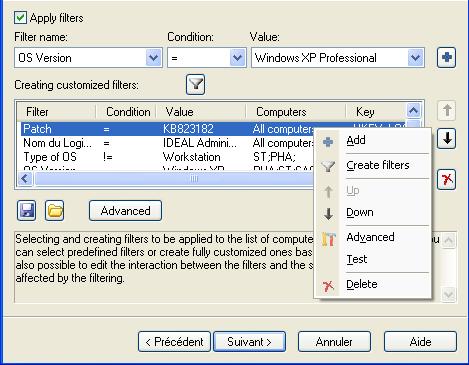
A filter can be applied to a variety of computers, on a set of conditions based, for example, on the version or OS type, or on values / registry keys in order to refine the selection.
There are two types of filter:
- Predefined filters: These filters whose values and conditions are pre-filled: OS version, OS type, Internet Explorer version, Service Pack, Processor, Language, Computer.
- Custom filters: by pressing (
 ), you can create your own filters from the registry. By default, a number of filters from the registry data are proposed.
From the advanced filtering properties, you can change the interaction between the filters and the selection of computers affected by the filtering.
The Test Filters button allows to test which computers of the selection will still be active after applying the filter.