Français
 English
 Deutsch
 Italiano
 Русский
How to modify the interaction between filters?
How to modify the interaction between filters?
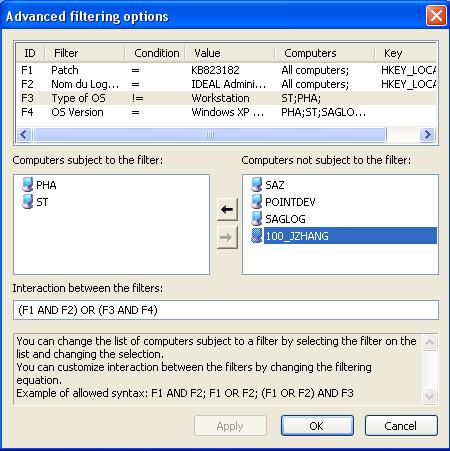
You can modify the list of computers that are subject to a filter.
When you select a filter in the top list, two fields are filled:
- List of computers subject to this filter:
Initially, this list corresponds to the complete selection of computers.
- List of computers that are not subject to this filter:
This list corresponds to the computers of the original selection that are not concerned by the filter.
Initially, this list is empty because all the computers of the selectiona re concerned.
It is possible to customize the interaction between the filters by changing the filter equation.
Exemple of allowed syntax: F1 AND F2 ; F1 OR F2 ; (F1 OR F2) AND F3