


 Français
 Español
 Deutsch
 Italiano
 Русский

Espace Reva
2 allée Josime MARTIN
13160 CHATEAURENARD
FRANCE
Tel : 33 9 77 63 61 94
Fax : 33 4 32 62 71 35 Tel: 33 9 77 63 61 94

FAQ : IDEAL DISPATCH
Deploy, execute and manage your IT actions remotely from a single interface
Some information about distributionsHow to schedule a deployment automatically and regularly? |
How to schedule a deployment automatically and regularly? |
|
You can schedule a saved, installed/run or archived distribution by usin the Distribution menu, then Schedule, or by clicking the right mouse button or by using the
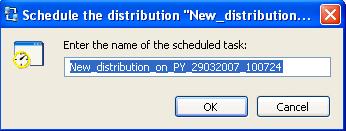
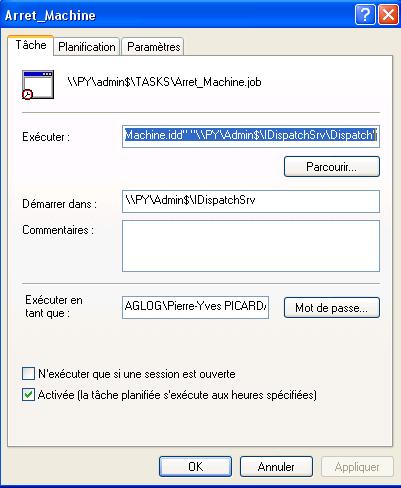
In the case of a planifiaction, the Windows task scheduler box of the distribution server will open and will be able to enter your settings. Planning a distribution has the effect of sending the distribution on programming each time the scheduled task runs.
You can then set your scheduled task according to your needs
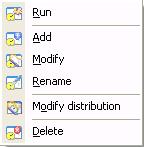
When a scheduled task is created you can subsequently modify, rename, delete, run, or view the properties of the distribution it plans, with a simple right click of the mouse button.
|
| Last modification: 05/13/2013 |
 icon on the toolbar.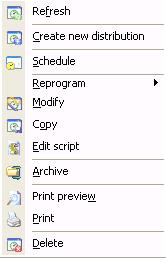
Want to check for yourself? Try IDEAL DISPATCH free for 30 days.
No commitment • No agent • Support included • Ready to use in 5 minutes


IDEAL DISPATCH 9.9
DOWNLOAD FREE 30-DAY TRIAL
SOFTWARE
SERVICES
SITEMAP
POINTDEV
ESPACE REVA2 ALLEE JOSIME MARTIN
13160 CHATEAURENARD
FRANCE


