Français
 English
 Español
 Italiano
 Русский
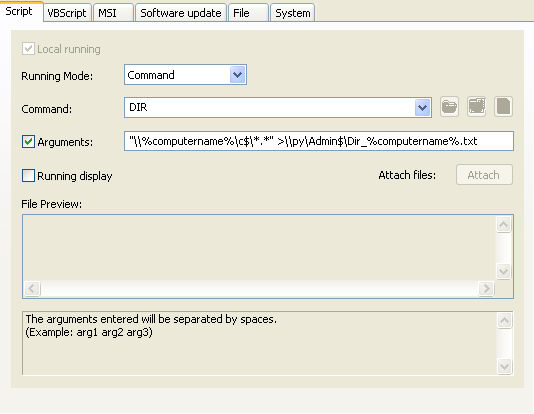
Command Action: Running the DIR command
Example n°2: Running the DIR command
You must configure the following arguments:
- Select the type of action: Command.
- Enter the command: DIR
- Check the Arguments checkbox and enter: "\\%computername%\c$\*.*" >\\py\Admin$\Dir_%computername%.txt