Français
 English
 Español
 Deutsch
 Italiano
Command Action: Generating a report using WMI functions
Example n°7: Generating a report using WMI functions
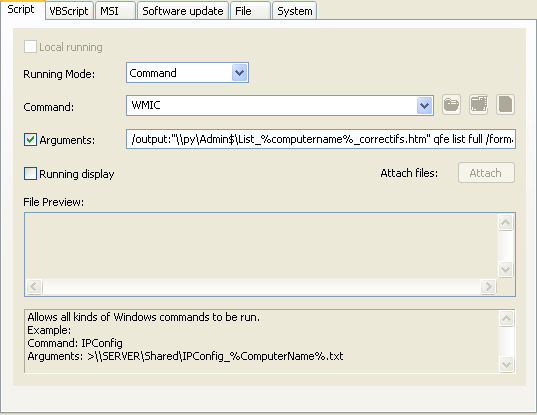
To generate a report listing the installed patches
You must configure the following arguments:
- Select the type of action: Command.
- Enter the command: WMIC
- Check the Arguments checkbox and enter: /output:"\\py\Admin$\List_%computername%_patches.htm" qfe list full /format:htable
"\\py\Admin$\List_%computername%_patches.htm" is the output file in HTML format.
The environmental variable %computername% makes it possible to generate a specific report by computer.