


 Français
 English
 Español
 Deutsch
 Italiano

Espace Reva
2 allée Josime MARTIN
13160 CHATEAURENARD
FRANCE
Tel : 33 9 77 63 61 94
Факс : 33 4 32 62 71 35 Tel: 33 9 77 63 61 94

FAQ : IDEAL DISPATCH
Развёртывайте, выполняйте и управляйте ИТ-действиями удалённо из единого интерфейса
Some information about distributionsHow to archive and organize your distributions? |
How to archive and organize your distributions? |
|
IDEAL Dispatch allows you to archive and organize your distributions:
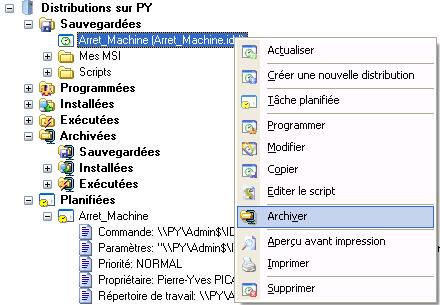
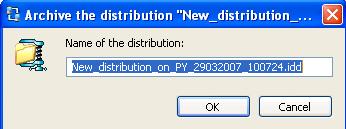
You can archive a folder or a saved, installed / executed distribution by right clicking on mouse button on the left or the right view, then Archived menu or by drag / drop. You must enterr the name of the archived distribution.
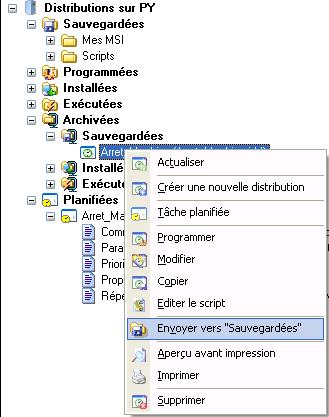
When a distribution is located on the archived folder, you can send it back to it's originaled folder using the menu or by drag/drop.
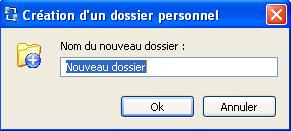
You can create folders (
You must enter a valid folder name.
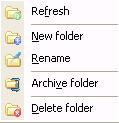
Once the folder created, you can refresh its content, create a sub folder, rename it, move it, archive it, delete it, by a right click.
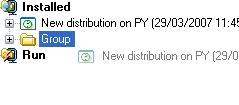
To classify a distribution or a folder, simply make a click on the item to be classified in the left view, maintain the mouse button down and release it over the desired folder in the left view.
|
| Последняя модификация: 13/05/2013 |
 ) or sub folders in order to sort your saved, installed /run ou archived distributions.
 ,
, ,
, ) on the left view or in the right list and validate (
 ) New folder.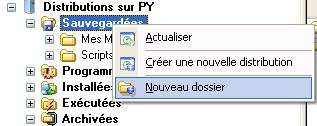
Хотите проверить сами? Попробуйте IDEAL DISPATCH бесплатно в течение 30 дней.
Без обязательств • Без агента • Поддержка включена • Готово к использованию за 5 минут


IDEAL DISPATCH 9.9
БЕСПЛАТНЫЙ ТЕСТ 30 ДНЕЙ
ИНСТРУМЕНТЫ
СЕРВИСЫ
КAPTA CAЙTA
POINTDEV
ESPACE REVA2 ALLEE JOSIME MARTIN
13160 CHATEAURENARD
FRANCE


