


 Français
 English
 Español
 Deutsch
 Italiano

POINTDEV
Espace Reva
2 allée Josime MARTIN
13160 CHATEAURENARD
FRANCE
Tel : 33 9 77 63 61 94
Факс : 33 4 32 62 71 35 Tel: 33 9 77 63 61 94
Espace Reva
2 allée Josime MARTIN
13160 CHATEAURENARD
FRANCE
Tel : 33 9 77 63 61 94
Факс : 33 4 32 62 71 35 Tel: 33 9 77 63 61 94

FAQ : IDEAL ADMINISTRATION
Контролируйте Active Directory в реальном времени без агентов
How to perform Real-Time Audit of Active Directory Domains?How to view audited events? |
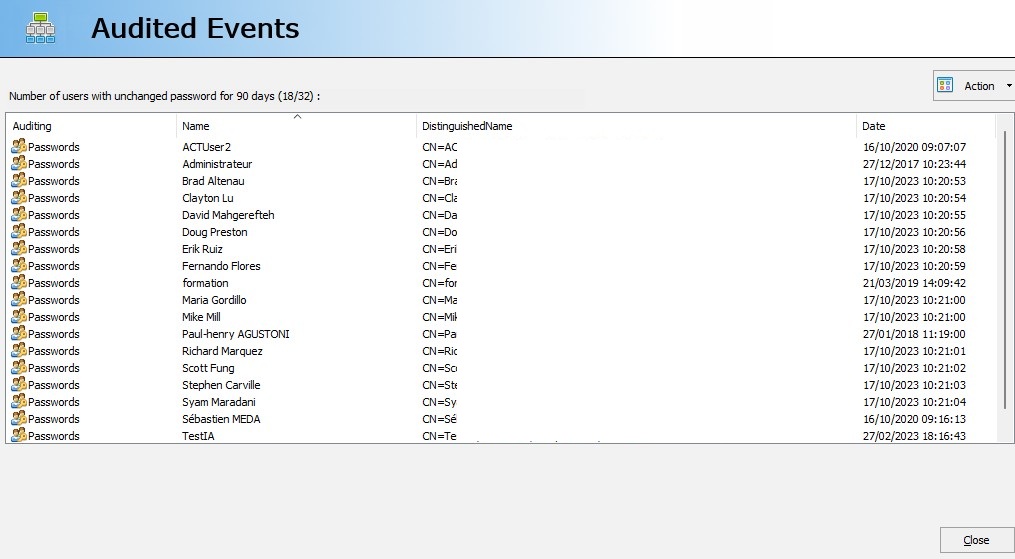
I want to view audited events. Your software indicates that a computer was recently modified, but I would like to know which one. How do I do this? |
|
To view the audited events, double-click on the event in question, or "Action", "View". For example, "Number of computers modified in the last 2 days". A dialog box shows you all the events corresponding to the audit in question.
|
| Последняя модификация: 13/01/2026 |
Хотите проверить сами? Попробуйте IDEAL ADMINISTRATION бесплатно в течение 30 дней.
СКАЧАТЬ БЕСПЛАТНУЮ ВЕРСИЮ НА 30 ДНЕЙ
Без обязательств • Без агента • Поддержка включена • Готово к использованию за 5 минут

Previous

Next
Назад к списку

IDEAL ADMINISTRATION 26.8.5
БЕСПЛАТНЫЙ ТЕСТ 30 ДНЕЙ
ИНСТРУМЕНТЫ
СЕРВИСЫ
КAPTA CAЙTA
POINTDEV
ESPACE REVA2 ALLEE JOSIME MARTIN
13160 CHATEAURENARD
FRANCE


