


 Français
 English
 Español
 Deutsch
 Italiano
How to deploy the shutdown, restart, log off or lock of computers in your network?
How to deploy the shutdown, restart, log off or lock of computers in your network?
From the System action, you can decide to:
- Close session ( ): Close the current session.
- Restart computer ( ): Restarts the computer.
- Shutdown the computer ( ): Turns off the computer.
- Lock the computer ( ): Locks the current user session.
- Going into extended stand-by ( ): Puts the computer into extended stand-by.
- Cancel shutdown ( ): Cancels the action log off, restart, shutdown, extendend stand-by, during it's reporting period.
If you choose to restart or to shutdown the computer, you can show a message to warn the user.
This message can be displayed for a certain period in seconds.
Force applications to close: Force running applications to close without warning.
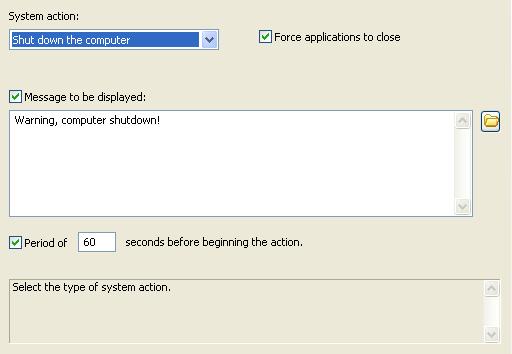
Example:
Shutting down a computer remotely with a warning message and countdown