


 Français
 English
 Español
 Deutsch
 Italiano
Daily copy and save a directory
Alert : How to automatically copy and save a directory ?
This example describes the procedure to use in order to copy every evening at 20:00, the working directory of the user on a centralized resource (a domain server here)
This topic can also be used as a starting point to automate in a regular way the local or remote copy of directory. The approach will be then relatively similar, the startup date and the path of the source / destination directories will have to be modified..
- Create a new alert, named for example "Daily copy of the working directory".
- Add the following event to be monitored :
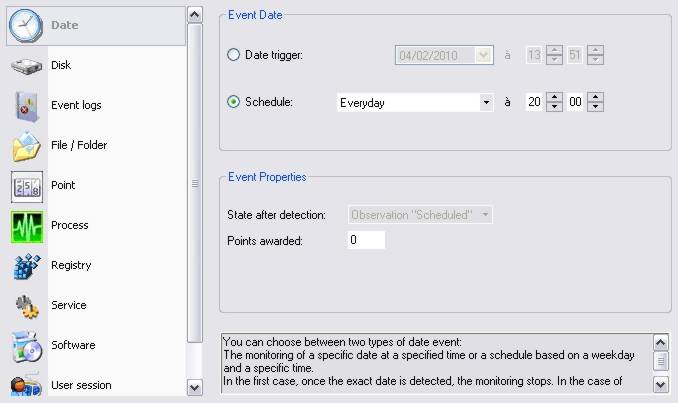
The date event will be daily activated at 20:00.
- Add the following action to be performed :
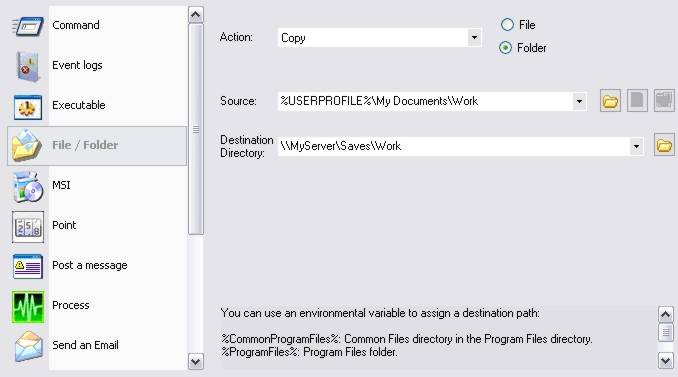
The whole content of the \Documents and Settings\UserName\Work (use of the "%USERPROFILE%" environment variable) will be then copied on the server.
- Select the target computers on which the alert must be applied.
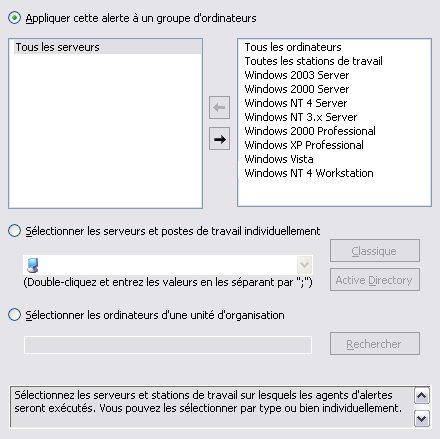
- Confirm the alert creation by clicking on the "OK" button.