


 Français
 English
 Deutsch
 Italiano
 Русский

Espace Reva
2 allée Josime MARTIN
13160 CHATEAURENARD
FRANCE
Tel. : 33 9 77 63 61 94
Fax : 33 4 32 62 71 35 Tel.: 33 9 77 63 61 94

FAQ : IDEAL DISPATCH
Implemente, ejecute y gestione sus acciones IT de forma remota desde una única interfaz
OverviewHow does IDEAL Dispatch work ? |
Can I get informations on the functioning of IDEAL Dispatch ? |
|
IDEAL Dispatch manages the installation, uninstallation and execution of softwares and scripts on your network servers and workstations.
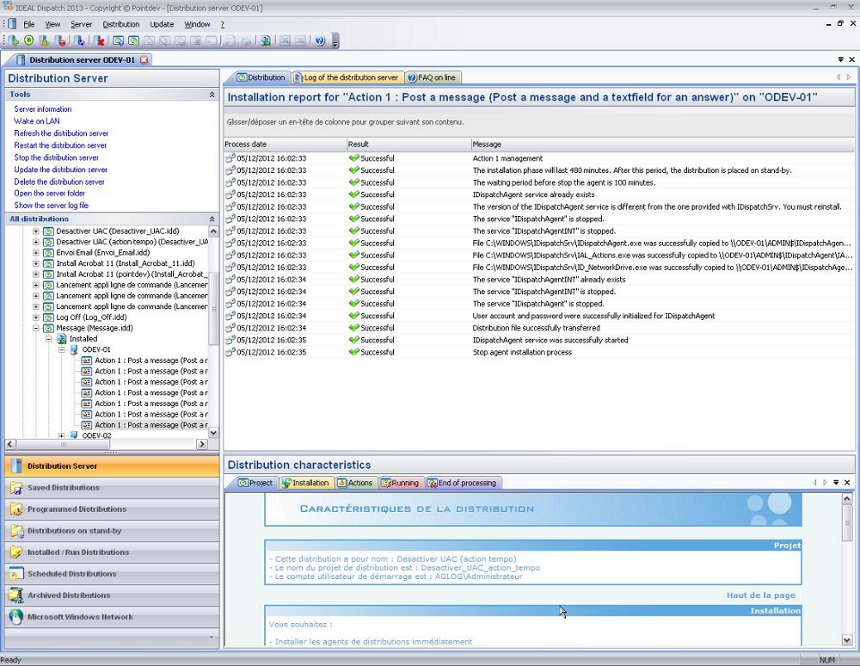
IDEAL Dispatch Console (IDispatch.exe) manages all distribution servers, allows to create distributions and displays progress and installation reports. IDEAL Dispatch Console can manage an unlimited number of distribution servers. Installations are automated, remotely, without any human intervention, and on any kind of server or workstation Windows NT, Windows 2000, Windows XP, Windows 2000, Windows 2003 or Windows Vista.
IDEAL Dispatch Server (IDispatchSrv.exe) also called distribution server, installs the distribution agents as well as software or scripts on the selected computers for a distribution during a deployment. It generates installation reports for each selected computer in the distribution. IDispatchSrv is a Windows service that starts automatically when you start Windows by using an administrator account.
Directories and services created after adding a distribution server:
IDEAL Dispatch Agents (IDispatchAgent.exe and IDispatchAgentINT.exe) also known as distribution agents, manage the execution of programs and defined scripts and generate an execution report for each action on a given computer. They are installed on the target computers and only run during the processing time of a distribution. The startup account of IDispatchAgent service must have "Domain Admins" privileges on all servers and workstations to be able to run the executables that are on a remote station and return to the distribution server the execution reports. Directories and services created after deployment:
|
| Última modificación: 24/04/2013 |
¿Quiere comprobarlo usted mismo? Pruebe IDEAL DISPATCH gratis durante 30 días.
Sin compromiso • Sin agente • Soporte incluido • Listo en 5 minutos


IDEAL DISPATCH 9.9
DESCARGAR PRUEBA GRATIS 30 DÍAS
SOFTWARE
SERVICIOS
MAPA DEL SITIO
POINTDEV
ESPACE REVA2 ALLEE JOSIME MARTIN
13160 CHATEAURENARD
FRANCE


