


 Français
 English
 Deutsch
 Italiano
 Русский

POINTDEV
Espace Reva
2 allée Josime MARTIN
13160 CHATEAURENARD
FRANCE
Tel. : 33 9 77 63 61 94
Fax : 33 4 32 62 71 35 Tel.: 33 9 77 63 61 94
Espace Reva
2 allée Josime MARTIN
13160 CHATEAURENARD
FRANCE
Tel. : 33 9 77 63 61 94
Fax : 33 4 32 62 71 35 Tel.: 33 9 77 63 61 94

FAQ : IDEAL ADMINISTRATION
Controle su Active Directory en tiempo real, sin agentes
How to perform Real-Time Audit of Active Directory Domains?How to stop real-time auditing of events? |
I want to stop event auditing on one of my Active Directory domains because I don't have the necessary rights to administer it. How do I do this? |
|
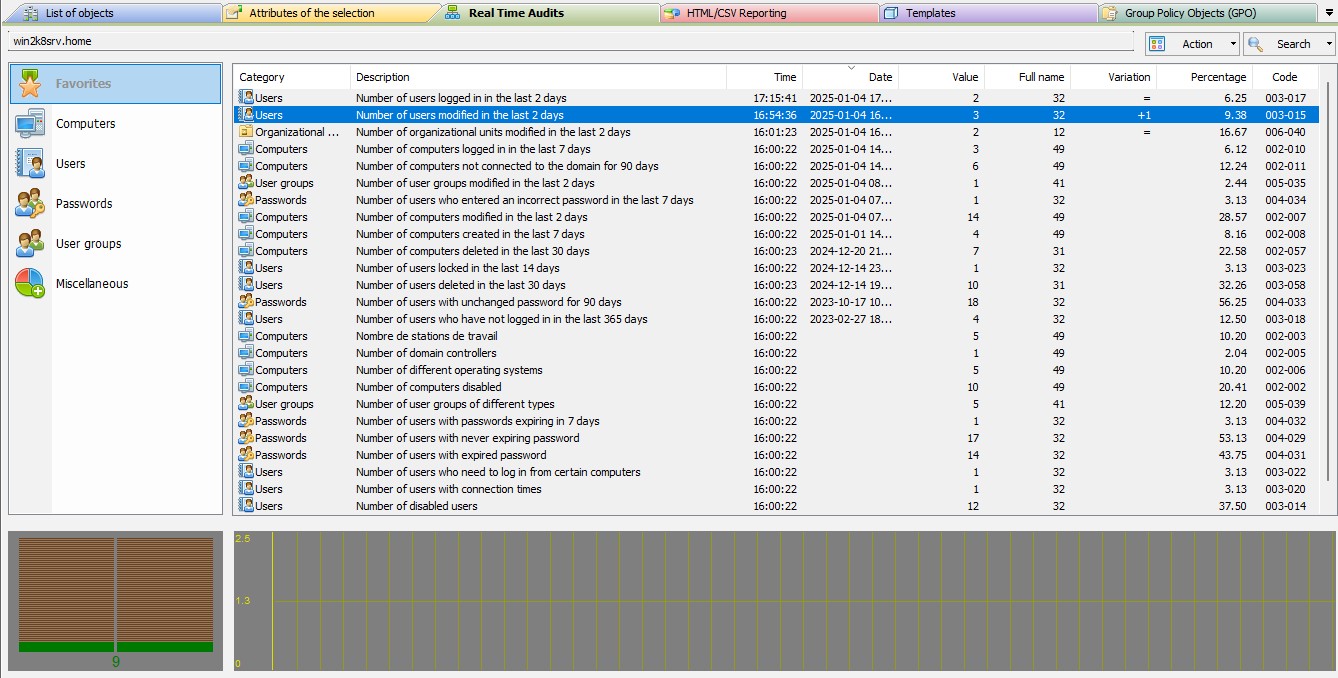
You can easily stop the Real Time Audits for an Active Directory domain by selecting the "Action" menu, "Stop". Your configuration is saved when the software is exited and will be taken into account during the next execution. In the same way, you can restart the audit, by the "Action" menu, "Start".
|
| Última modificación: 13/01/2026 |
¿Quiere comprobarlo usted mismo? Pruebe IDEAL ADMINISTRATION gratis durante 30 días.
DESCARGAR VERSIÓN DE PRUEBA 30 DÍAS
Sin compromiso • Sin agente • Soporte incluido • Listo en 5 minutos

Anterior

Siguiente
Vuelve a la lista

IDEAL ADMINISTRATION 26.8
DESCARGAR PRUEBA GRATIS 30 DÍAS
SOFTWARE
SERVICIOS
MAPA DEL SITIO
POINTDEV
ESPACE REVA2 ALLEE JOSIME MARTIN
13160 CHATEAURENARD
FRANCE


