


 Français
 Español
 Deutsch
 Italiano
 Русский
FAQ : IDEAL REMOTE
Take remote control of all your systems, simply and securely
How to configure Remote Control Software over the Internet (Pointdev Remote Control)?How to configure the "Pointdev Remote Control" server part (remote computer)? |
How to install and configure the "Pointdev Remote Control" server part on the remote computer? |
|
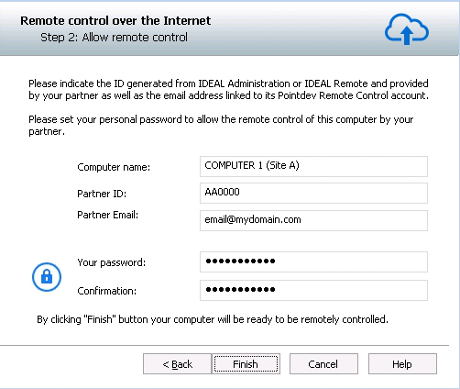
Here are the steps to follow to install and configure the server part of Pointdev Remote Control:
You must fill in this window several information:
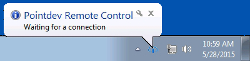
Once these steps are validated, the Pointdev Remote Control icon will appear in the taskbar.
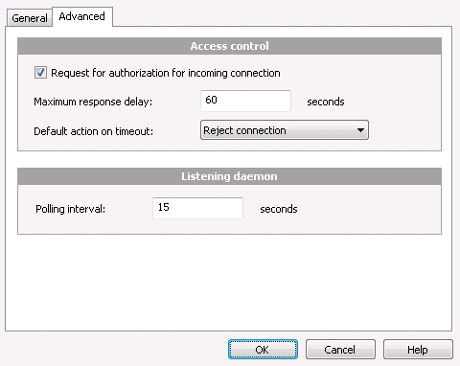
Doing a right click, you can:
|
| Also concerns the following software: IDEAL ADMINISTRATION |
| Last modification: 11/19/2021 |
Want to check for yourself? Try IDEAL REMOTE free for 30 days.
DOWNLOAD FREE 30-DAY TRIAL
No commitment • No agent • Support included • Ready to use in 5 minutes

Previous

Next
Back to the list

IDEAL REMOTE 26.8.5
DOWNLOAD FREE 30-DAY TRIAL
SOFTWARE
SERVICES
SITEMAP
POINTDEV
ESPACE REVA2 ALLEE JOSIME MARTIN
13160 CHATEAURENARD
FRANCE


