Français
 Español
 Deutsch
 Italiano
 Русский
How to configure your Active Directory domains?
How to fill in the information in the "Active Directory" dialog box, from "Tools" menu, "Options"?
This dialog allows you to fill in for each of your Active Directory servers on the network, the credentials needed to connect and query Active Directory.
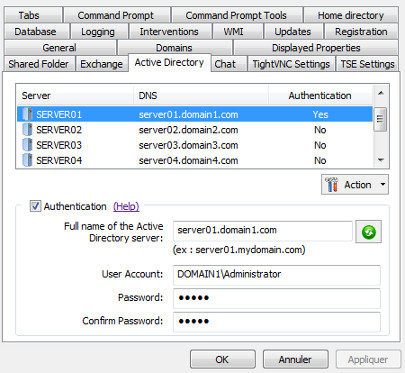
Select a server and then check the "Authentication" box. You can then fill in the full name (DNS) of the Active Directory server and the domain administrator account that will be used for AD queries.
The button "Automatic Search" allows to automatically retrieve the full name of the AD server by using its NetBIOS name.
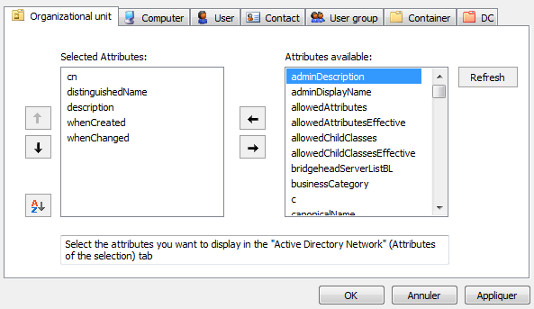
With IDEAL Administration: by right clicking on a server in the list, you also have the option to configure for this server, the properties displayed for the following objects: Organization Unit, Computer, User, Contact, User Group, Container, DC (domain component). These attributes are used:
- In the Explorer view in the left side, "Active Directory Network" tab .
- In the main view, "Active Directory Network" tab, "Attributes of the selection" tab.