Français
 Español
 Deutsch
 Italiano
 Русский
Software Update Action: Installing the Windows security update KB923723
Example n°5: Installing the Windows security update KB923723
Remote running means that the program to be installed must be present on another PC in the network. On a file server, for example.
Information:
This is a security update for the following systems:
Windows 2000 Service Pack 4; Windows Server 2003; Windows Server 2003 Service Pack 1; Windows Server 2003 Service Pack 2, and Windows XP Service Pack 2.
You must configure the following arguments:
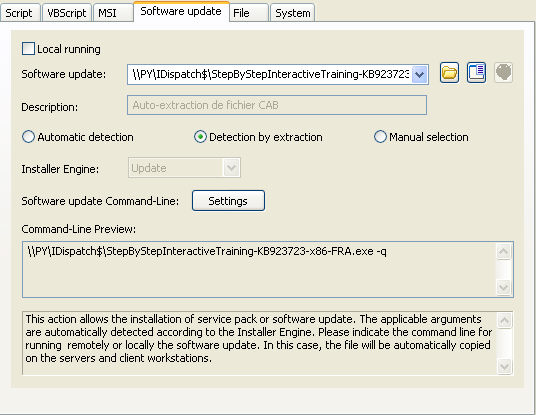
- Do not check the Local running checkbox.
- Indicate the path of the executable file: \\PY\g$\StepByStepInteractiveTraining-KB923723-x86-FRA.exe
- Select detection by extraction to determine its installation engine
- Select –q as argument for silent install (Settings button)