Français
 Español
 Deutsch
 Italiano
 Русский
How to deploy the add or remove of a network drive on your network?
How to deploy the add or remove of a network drive on your network?
This action allows to add or remove a network drive on a target computer.
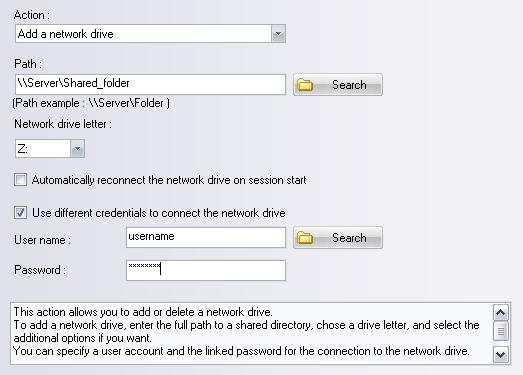
You can configure the following settings:
Add case:
- Path of the shared folder (ex: \\Server\Shared_folder)
- Drive letter
- Automatic reconnection of the network drive on session start
- Connect using a different username (username and password needed)
Remove case:
- Drive letter