FAQ : IDEAL DISPATCH

Deploy, execute and manage your IT actions remotely from a single interface

Search Help  

FAQ: Help

By using this search engine, you can search one or more terms in the complete Pointdev FAQ.

  • In order to look for one or more keywords, type them in the search field using space to separate them.

    ex : remote control

    This search will show you every FAQ containing the word "remote" OR "control".

  • In order to look for a full sentence, use the quotes " " around your keywords
  • ex : "remote control"

    This search will show you every FAQ containing the whole word "remote control".


 Title and Content
 Title only

IDEAL ADMINISTRATION 2026 is out!

With IDEAL ADMINISTRATION 2026, Active Directory administration takes a new step forward. This version emphasizes proactive detection, intelligent alert analysis using Cloud AI, and decision support, while maintaining simplicity, efficiency, and agentless administration. ⬇️ 30-day free version.


Overview

Do we have to install "client" or "server" agents on the network computers?

Do we have to install "client" or "server" agents on the network computers?

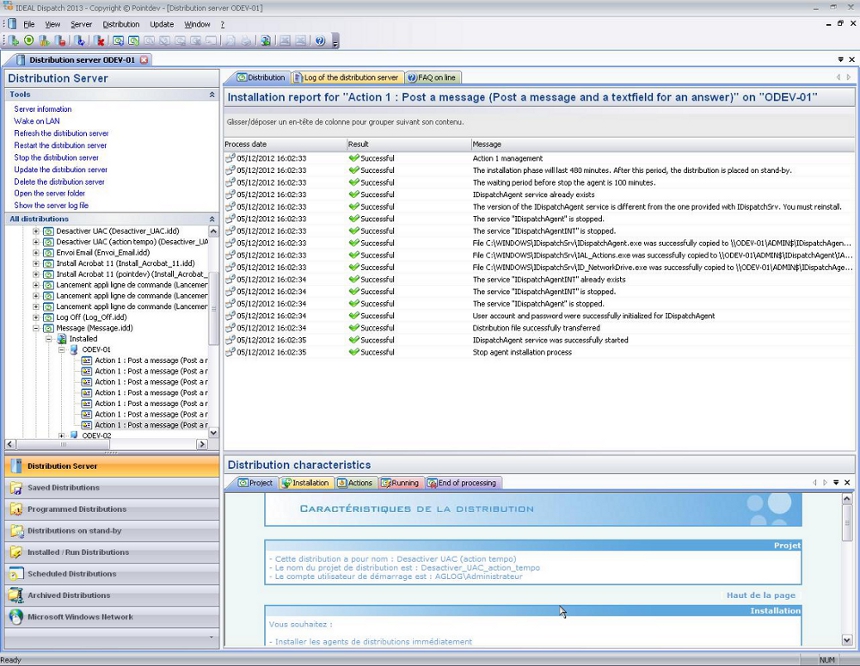
IDEAL Dispatch is composed of 3 parts :

  • IDEAL Dispatch Console
  • IDEAL Dispatch Server
  • IDEAL Dispatch Agent

These three elements are available in the same installation package. You just need to launch the IDEAL Dispatch installation on your computer (from Windows XP to Windows 2012 Server)

Installation of agents and servers are automatic, remote, without any human intervention, and on any server or workstation from the console . You do not need to install manually on your network computers client or server services.
 

Last modification: 03/26/2017

Previous
   
Next

Back to the list


FAQ : IDEAL ADMINISTRATION | IDEAL DISPATCH | IDEAL REMOTE | IDEAL MIGRATION


IDEAL DISPATCH 9.9
DOWNLOAD
FREE 30-DAY TRIAL
Back to top