


 Français
 English
 Español
 Italiano
 Русский
FAQ : IDEAL DISPATCH
Stellen Sie Ihre IT-Aktionen remote bereit, führen Sie sie aus und steuern Sie sie über eine einzige Oberfläche
What are the different filters available during deployments?How to test the filtering applied to a selection before the deployment? |
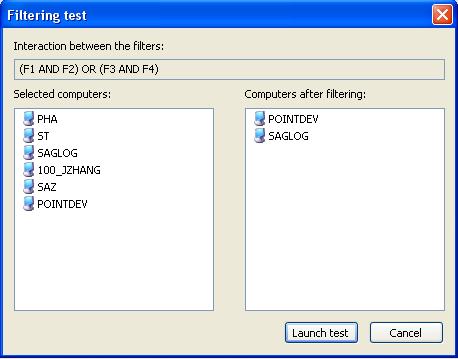
How to test the filtering applied to a selection before the deployment? |
|
To estimate what computers of the selection will still be active after applying the filter.
|
| Letzte Änderung: 15/05/2013 |
Möchten Sie es selbst überprüfen? Testen Sie IDEAL DISPATCH 30 Tage lang kostenlos.
30-TAGE-TESTVERSION HERUNTERLADEN
Unverbindlich • Ohne Agent • Support inklusive • In 5 Minuten einsatzbereit

Previous

Next
Zurück zur Liste

IDEAL DISPATCH 9.9
30-TAGE-TESTVERSION HERUNTERLADE
SOFTWARE
DIENSTLEISTUNGEN
SITEMAP
POINTDEV
ESPACE REVA2 ALLEE JOSIME MARTIN
13160 CHATEAURENARD
FRANCE


