FAQ : IDEAL ADMINISTRATION

Verwalten Sie Ihre Windows Active Directory-Umgebungen und Ihre Workgroups über eine einzige Konsole

Suche Hilfe  

FAQ

By using this search engine, you can search one or more terms in the complete Pointdev FAQ.

  • In order to look for one or more keywords, type them in the search field using space to separate them.

    ex : remote control

    This search will show you every FAQ containing the word "remote" OR "control".

  • In order to look for a full sentence, use the quotes " " around your keywords
  • ex : "remote control"

    This search will show you every FAQ containing the whole word "remote control".


 Titel und Inhalt
 Nur titel

IDEAL ADMINISTRATION 2026 ist verfügbar!

Mit IDEAL ADMINISTRATION 2026 wird die Active-Directory-Verwaltung noch umfassender. Proaktive Erkennung, intelligente Alarmanalyse durch Cloud-KI, Entscheidungsunterstützung und jetzt sichere Fernsteuerung mit RustDesk – alles agentenlos, für eine zentrale, effiziente und kontrollierte Administration.. ⬇️ 30-Tage-Gratisversion.


How to perform Real-Time Audit of Active Directory Domains?

How to stop real-time auditing of events?

I want to stop event auditing on one of my Active Directory domains because I don't have the necessary rights to administer it. How do I do this?

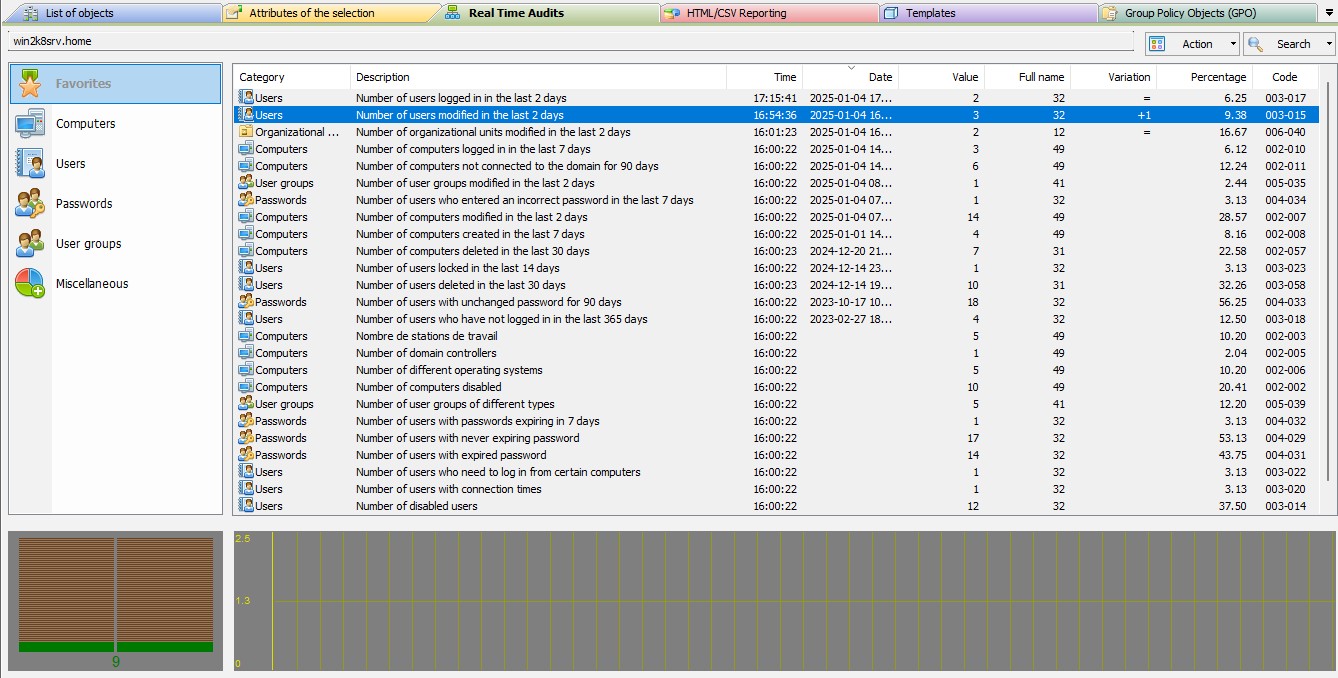
You can easily stop the Real Time Audits for an Active Directory domain by selecting the "Action" menu, "Stop". Your configuration is saved when the software is exited and will be taken into account during the next execution.

In the same way, you can restart the audit, by the "Action" menu, "Start".
Letzte Änderung: 13/01/2026

Previous
   
Next

Zurück zur Liste


FAQ : IDEAL ADMINISTRATION | IDEAL DISPATCH | IDEAL REMOTE | IDEAL MIGRATION


IDEAL ADMINISTRATION 26.5
KOSTENFREIER DOWNLOAD
Zurück zum Anfang