
 English
 French
 Spanish
 German
 Italian
 Russian
POINTDEV
Espace Reva
2 allée Josime MARTIN
13160 CHATEAURENARD
FRANCE
Tel : 33 9 77 63 61 94
Fax : 33 4 32 62 71 35 Tel: 33 9 77 63 61 94
Espace Reva
2 allée Josime MARTIN
13160 CHATEAURENARD
FRANCE
Tel : 33 9 77 63 61 94
Fax : 33 4 32 62 71 35 Tel: 33 9 77 63 61 94

IDEAL
Administration
Administration
 Simplify the Management of your Windows Active Directory networks

Starts at $ 329 (USD)
See Full Price List
Compatible with
- Windows Server 2022
- Windows Server 2019
- Windows Server 2016
- Windows Server 2012
- Windows Server 2008
- Windows Server 2003
- Windows Server/PRO 2000
- Windows Server/PRO NT
- Windows 11
- Windows 10
- Windows 8
- Windows 7
- Windows XP
Available in


IDEAL Administration 23.1
IDEAL Administration 23.1
Click on the category to detail its contents.
- Centralized administration for Windows Workgroups and Active Directory domains
- Windows Active Directory Domains Management (from Windows 2000 to Windows 2022)
- Windows NT 4.0 Domains Management
- Windows Workgroups management
- Group Policy Objects (GPO) management
- Full Management for Organizational Units, Users, Contacts and Groups
- Powerful Active Directory Explorer, Editor and Search
- Automating the creation of OUs, computers, contacts, users and user groups using predefined templates
- Local Users and Groups management (Workstations)
- Registry management (32 bits and 64 bits)
- Event logs management
- Sending Emails to Domain Users
- Real-time graphs for computer "Performance", "Disk usage" and "Networking"
- Automatic and Planned Wake up of Computers (Wake On LAN)
- Planned and remote computer stopping/restarting
- Remote Computer Name and IP Address Settings
- ACLs (Access Permission Lists) exploring and management
- WMI management
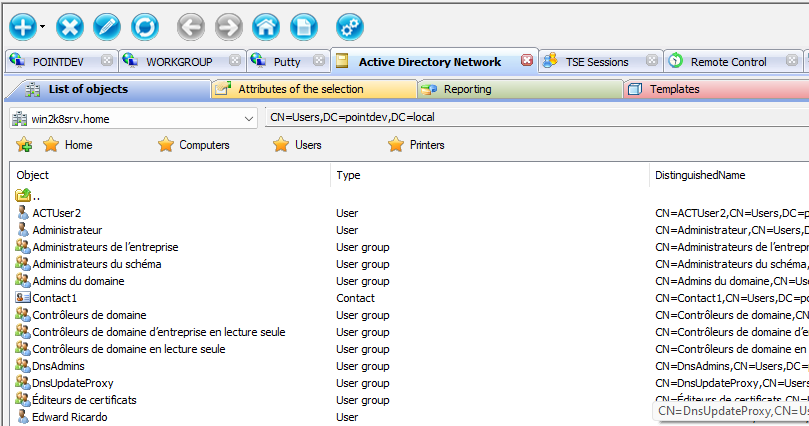
- Simple, Fast and Secure Remote Control Software for Windows Servers and Stations, Mac OS X and Linux systems
- Remote Control with automatic installation on your network for:
- Windows 2022 Server
- Windows 2019 Server
- Windows 2016 Server
- Windows 8, Windows 10, Windows 11 and Windows 2012 & R2 Server
- Windows Vista, Windows 7 and Windows 2008 & R2 Server
- Windows NT 4.0 and Windows 2000 Server
- Windows XP and Windows 2003 Server
- Compatible with 32 and 64 bit Windows architectures
- Remote Control with VNC enabled for:
- Mac OS X and Linux
- Ubuntu 10.04.1 LTS to 10.04.3 LTS, 11.10 and 12.04 LTS
- Debian 5.0 and later
- Red Hat Enterprise Linux 5 and late
- CentOS 5 and 6
- Fedora 15 and 16
- Share the screens with end-users
- Acceptance of the connection by the remote user (if configured)
- Chat with end-user to help troubleshoot problems
- File transfer between the computers
- Screenshot capture in JPEG, BMP or PNG
- History of connections for a quick access to computers
- Computer group settings
- Command prompt on the remote station
- Logging remote control operations in database
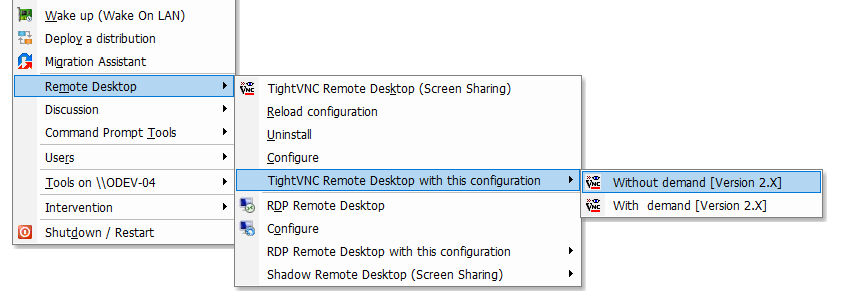
- Remote Control with automatic installation on your network for:
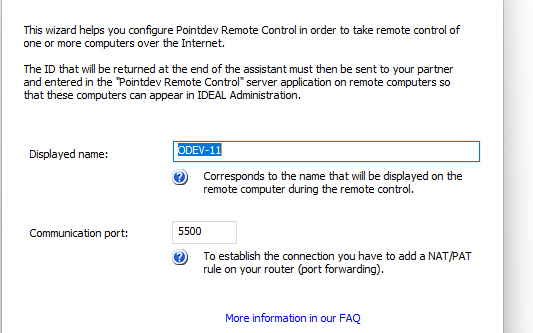
- Remote Control Software through Internet for Windows Computers Outside the Corporate Network
- Remote Control by Internet is done through our "Pointdev Remote Control" agent (PRC) previously installed and configured on Windows computers
- "Pointdev Remote Control" (PRC) is compatible with:
- Windows 2022 Server
- Windows 2019 Server
- Windows 2016 Server
- Windows 8, Windows 10, Windows 11 and Windows 2012 & R2 Server
- Windows Vista, Windows 7 and Windows 2008 & R2 Server
- 32 and 64 bit Windows architectures
- Computers executing "Pointdev Remote Control" (PRC) are automatically displayed in IDEAL Administration for a fast and secure remote control
- Remote Control for Windows Systems from Smartphones and Tablets
- Need a WIFI network within the organization for smartphone and tablet connection
- Compatible with iOS and Android

- Windows Active Directory Domain Reporting
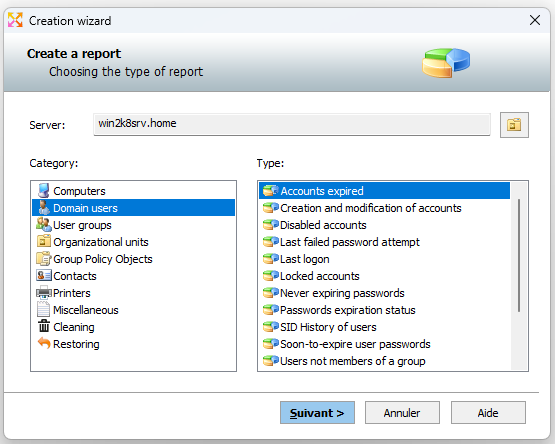
- Full Active Directory Reporting that gives you real-time information about your Active Directory objects through different HTML and CSV reports
- These reports concern all your Active Directory objects like Organizational units, User groups, Users, Computers, Printers, Contacts, GPOs, etc.
- These reports can be:
- generated in HTML to be printed and shared by IT administrators,
- generated in CSV to be managed by MS Excel, MS Access or any database tool,
- stored in the history to be opened at anytime,
- planned and automated trough the creation of scheduled tasks
- Some examples of reports (40 predefined reports):
- What are the different operating systems in my Active Directory domain?
- What are the users who do not open session for more than 90 days?
- What are the Active Directory domain objects that were recently removed?
- Which user groups containing no member?
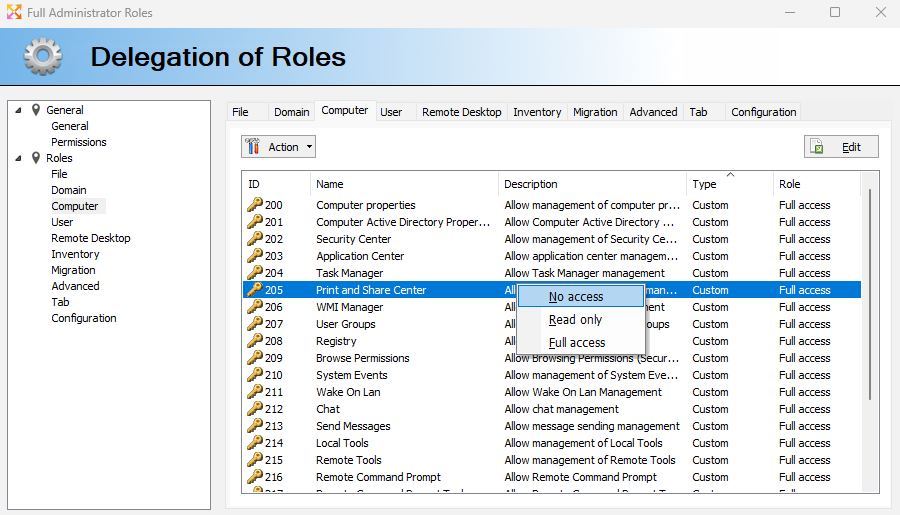
- Delegation of Roles/Tasks for the software users
- Roles/tasks delegation allows you to authorize certain functions of the software to people or groups of people without having to give them access to all the features
- One or more Role Delegation Administrators can create role delegations for different software users
- Each feature of the software can be controlled by Full Access, Read Only (No modification allowed) or No Access
- Users no longer have access to the software activation key for software registration, all checks are done automatically when loading software
- Instant Active Directory Cleanup
- Disable expired users and computer accounts
- Disable inactive users and computer accounts
- Remove empty user groups
- Remove empty Organizational Units
- Remove inactive users and computers accounts
- Remove disabled users and computer accounts
- Remove expired users and computer accounts
- Reset sIDHistory attributes for users and groups

- Restoring Active Directory Objects
- List and restore Active Directory objects that have been recently deleted
- Destination folder of the object may be changed during the restoration

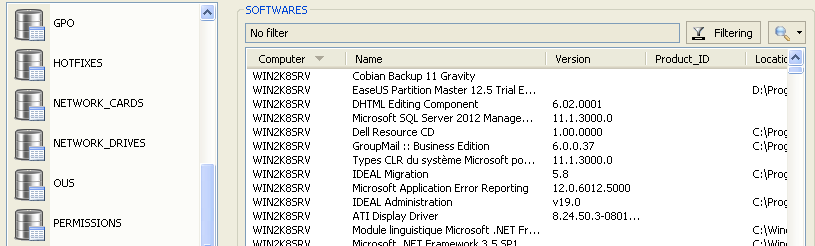
- Database inventory of IT Infrastructures
- Database recording under Microsoft Access or Microsoft SQL Server
- All the inventories can be easily exported in CSV (text file) or HTML
- Inventories can be done on selected domains / workgroups, an organizational unit or specific computers
- All the inventories can be done in command line
- Database Exporter for scheduling and automating inventories of your Windows domains or workgroups
- Access and manage the inventory databases directly from the software for more flexibility. No need to use MS Access or MS SQL to view inventories. No need to have a MS Access license on the admin station
- Inventories can be shared between admins (only one database)
- List of exported objects:
- Organizational Units, Goup Policy Objects (GPO), Computers, Users, Printers, Contacts and Groups
- Files and Directories (properties and ACLs), Shared Folders (properties and ACLs)
- Registry (32 bits and 64 bits), Events, User Rights, Printers, Scheduled Tasks (v1.0 and v2.0), Drives, Network Drives, Services and Devices, Device List and System Information
- Network Configurations (Network Cards, IP Settings, MAC Addresses, ...)
- Firewall Information, Firewall Rules, UAC and Windows Updates Information
- Installed Software, Installed Hotfixes, Software Licenses (Microsoft, Adobe, Pointdev, ...)
- WMI Properties
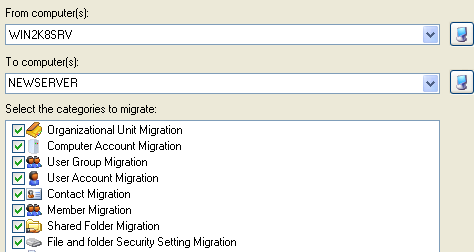
- Full object migration between Windows domains and servers
- Organization Unit migration
- User group migration
- User account migration
- User password migration (from Windows NT 4.0 to Windows 2008 R2 Server)
- Contact migration
- File server migration and consolidation (including ACLs)
- Share folder migration
- Migration Assistant for a scheduled or a command line execution
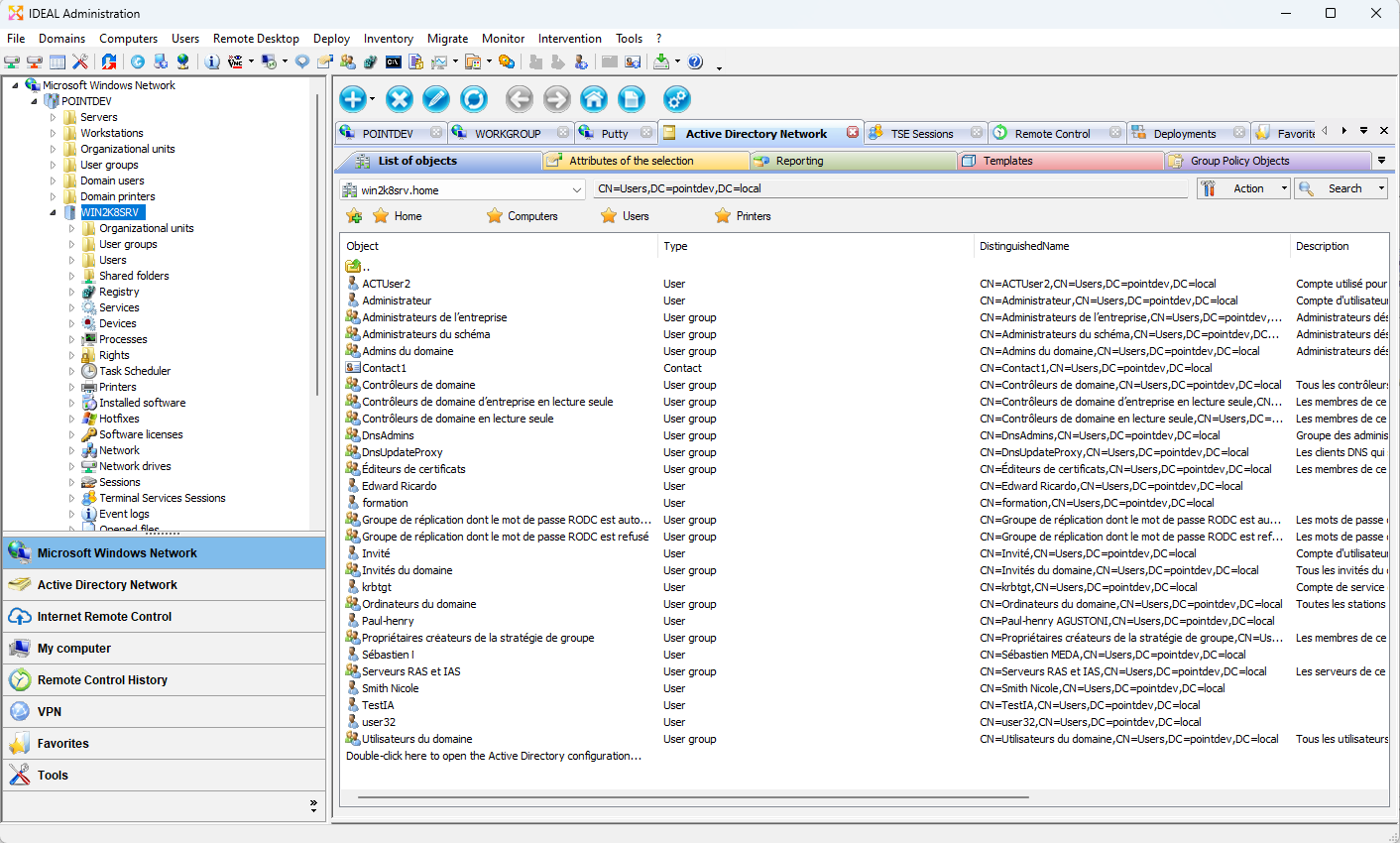
- Powerful graphic interface for multi-domain management
- An Explorer-like graphical user interface with multi-tabs allowing quick access all your Domains, Workgroups and VLANs
- Exporting all lists in HTML or CSV
- Configurable Tabs:
- Windows NetBIOS Computers (Domain or Workgroup)
- Window Active Directory Domain
- Remote Control History
- Internet Remote Control
- VPN
- Favorites
- Tools (External)
- FAQ or Internet
-
Customizing display properties to view
- Multi-Threading for concurrent access to computers
- Recording of computer properties in database
- Configuration Wizard for a Quick Start
- Remote Management of Network Security
- Firewall management
- Create, modify and delete rules
- Windows update management
- UAC management
- Possibility to manage several computers simultaneously
- Remote Management of Software and Product Keys
- Installed software management
- Remote product key recovery (Software Licenses)
- Possibility to manage several computers simultaneously
- Remote Management of Tasks and Processes
- Service and device management
- Process management (can be stop remotely)
- Scheduled task management (v1.0 and v2.0)
- Possibility to manage several computers simultaneously
- Remote Management of Sharing and Printing
- Shared folder management
- Printer management
- Open file management
- Session management
- Terminal Service session management (TSE)
- Remote Shadow management (TSE)
- Possibility to manage several computers simultaneously
- Intervention Management on the corporate network
- Planning interventions to be performed on the network
- Recording different states
- Common database for the administrators
- Windows Sessions and Open Files Monitoring
- File and session recording throughout the network
- Daily logging in CSV files
- Packaging, documentation, and software versions
- Available in five different languages:
- English
- French
- German
- Italian
- Spanish
- Electronic documentation
- CDROM version available
- Available in five different languages:
Starts at $ 329 (USD)
See Full Price List
Compatible with
- Windows Server 2022
- Windows Server 2019
- Windows Server 2016
- Windows Server 2012
- Windows Server 2008
- Windows Server 2003
- Windows Server/PRO 2000
- Windows Server/PRO NT
- Windows 11
- Windows 10
- Windows 8
- Windows 7
- Windows XP
Available in

IDEAL Administration 23.1
DOWNLOADFREE VERSION
SERVICES
SITEMAP
POINTDEV
Espace Reva2 allée Josime MARTIN
13160 CHATEAURENARD
FRANCE
| Phone: | 33 9 77 63 61 94 |


